Win2PDF 10 creates PDF, as well as PDF/A, XPS, TIFF, and SVG files from any Windows Application.
Win2PDF is a virtual printer, so all you need to do is print from any application to create a PDF.
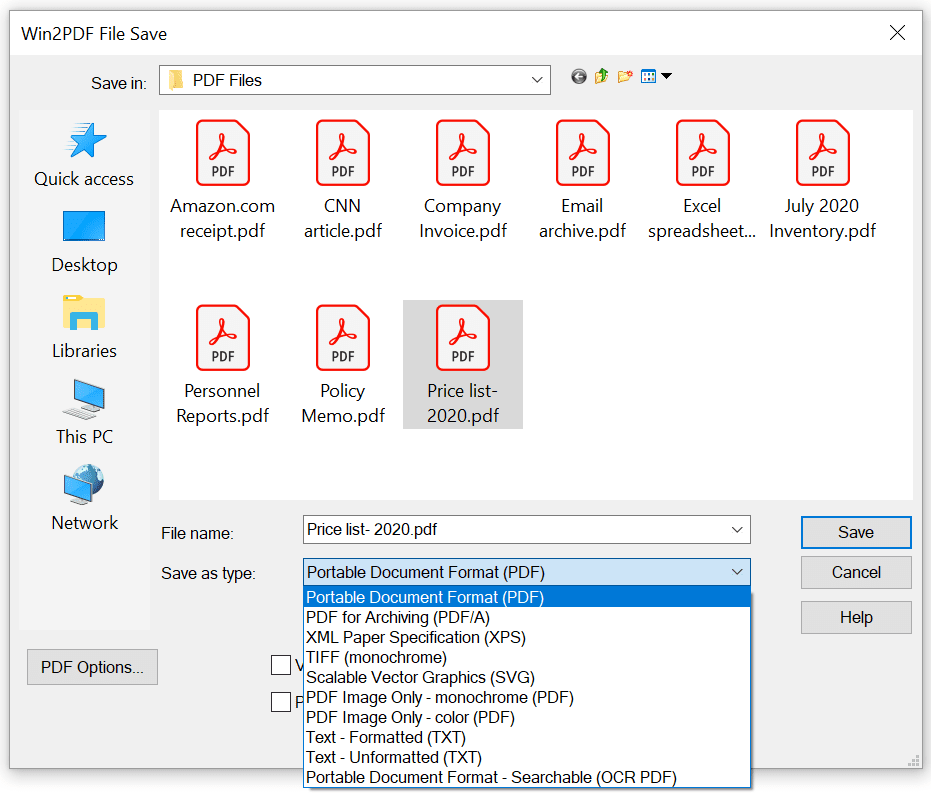
Create documents from any Windows application in the following formats:
 Print to PDF - Portable Document FormatPrint to PDF/A - Portable Document Format for Archiving (PDF/A-1b, ISO 19005-1:2005)Print to PDF - Image Only (color or monochrome)Print to XPS - XML Paper SpecificationPrint to TIFF - Tagged Image File FormatPrint to SVG - Scalable Vector GraphicsPrint to TXT - Formatted or unformatted textPrint to PDF - Searchable (PDF OCR)
Win2PDF also adds a virtual printer named Win2Image that can Print to JPEG, Print to TIFF, Print to GIF, Print to PNG, or Print to BMP formats in both color and monochrome.
If you don't want the file save window to appear, you can configure Win2PDF to auto-name PDF files
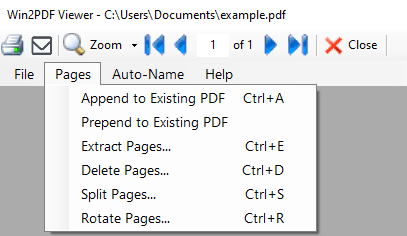
Win2PDF allows you to interactively merge PDF files by printing new content to the beginning (prepend) or end (append) of an existing PDF file.
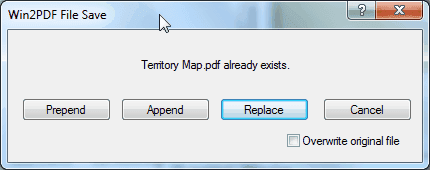
With Win2PDF Desktop you can append to PDF files and modify PDF pages.
Win2PDF also supports command line options to append PDF and prepend PDFs.
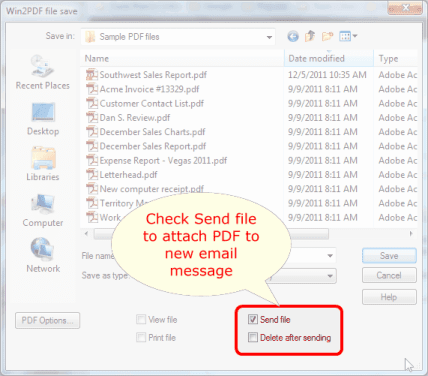
You can configure Win2PDF to send a PDF using Microsoft Outlook (classic), Microsoft Outlook (new), Mozilla Thunderbird, Gmail, Outlook.com, Yahoo! Mail, or custom SMTP servers.
Choose to save the .PDF file or have it deleted after it is sent as an attachment.
Win2PDF can be configured to automatically name files and bypass the file save window.
Files will be saved to the chosen location automatically. The naming can be configured to include a date and time stamp, and files can be automatically appended or saved separately.
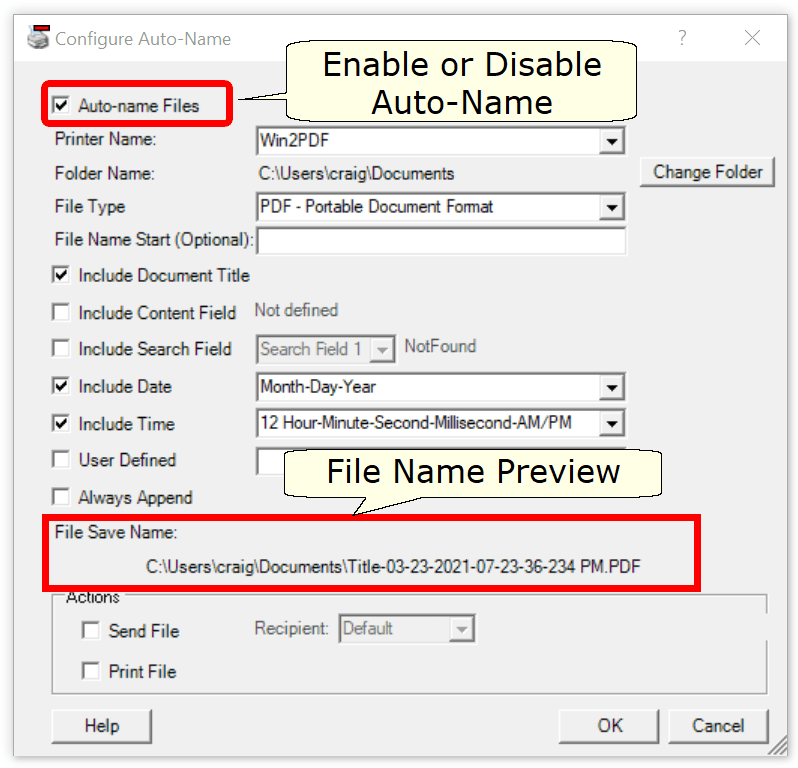
Extra Win2PDF printers can be added, each with independent auto-name settings.
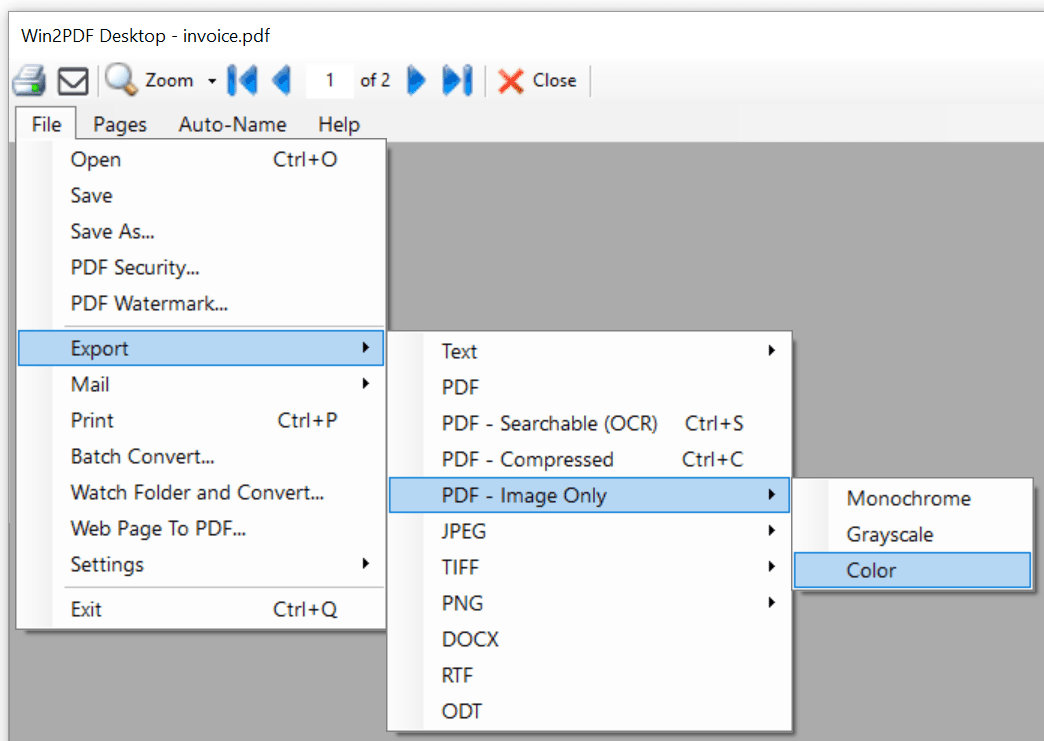
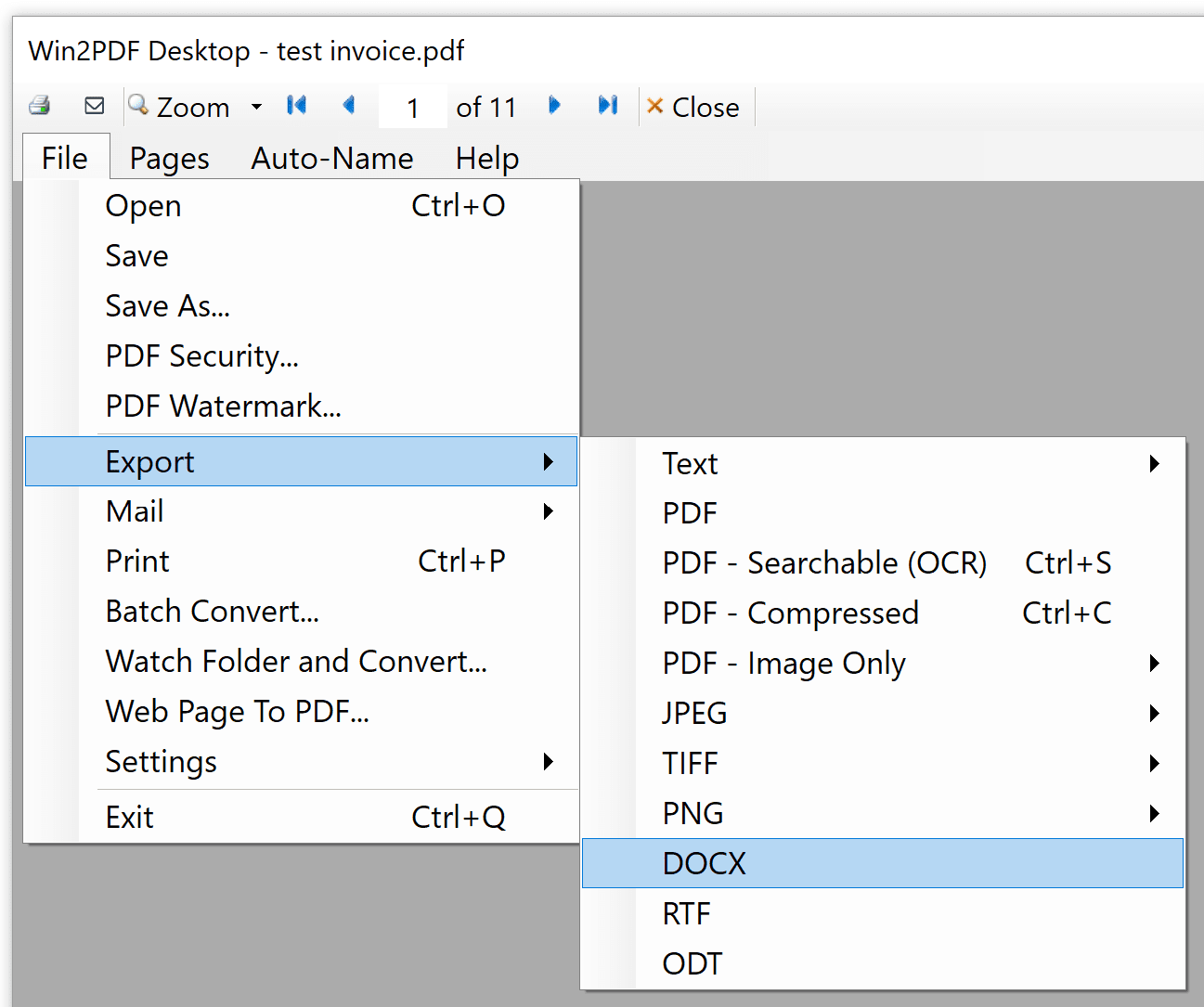
Win2PDF can export a PDF to other formats including text, searchable PDF (OCR), compressed PDF, image only PDF, JPEG, TIFF, and PNG.
Win2PDF also supports command line options to convert an Image to PDF, PDF to JPEG, PDF to TIFF, and many other combinations.
Win2PDF can modify pages of a PDF including appending to an existing pdf, extracting pages, deleting pages, splitting pages, rotating pages, or reordering pages.
Win2PDF also supports command line options to append PDF and prepend PDFs, extract PDF pages, delete PDF pages, split PDF pages, and rotate PDF pages,
 Buy Now
In addition to all of the features in Win2PDF, Win2PDF Pro can password protect documents to prevent modification, or to require a password upon opening the document.
Win2PDF Pro can allow or disallow the ability to:
 PrintCopy to the clipboardModify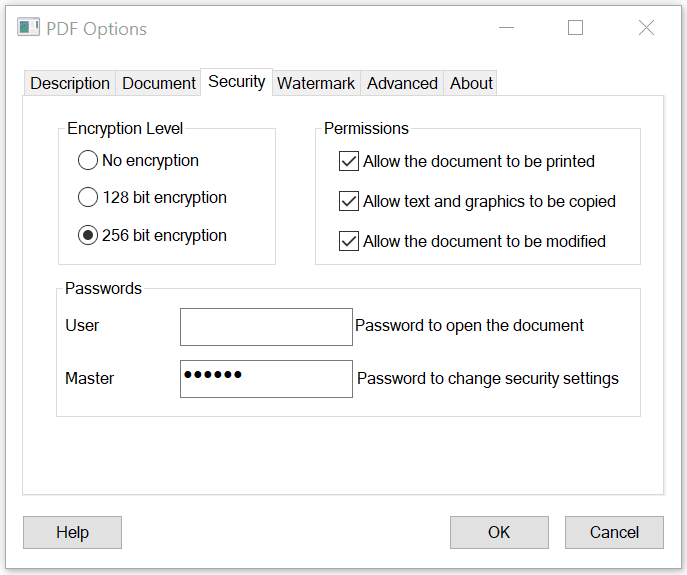
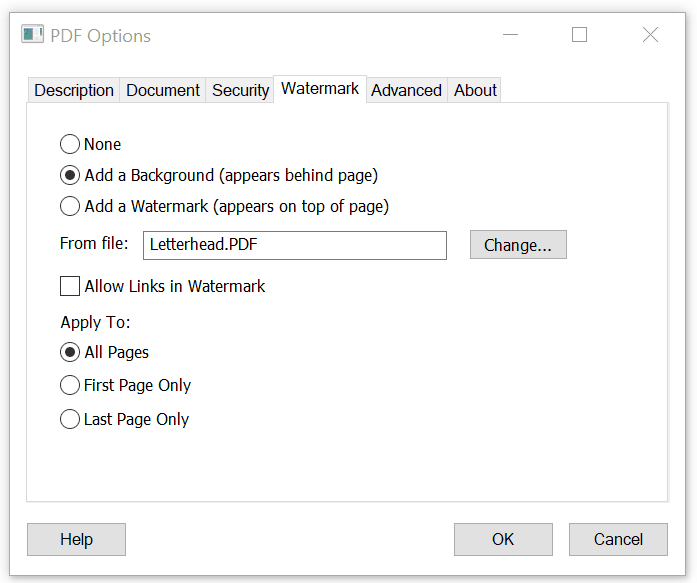
Win2PDF Pro allows you apply watermarks (appears beneath page), or stamp (appears on top of page) when creating a PDF.
The watermark or stamp uses a second PDF that is configured in the "PDF Options" window.
Win2PDF Pro allows you to bulk rename folders of PDFs using the contents of the PDF such as account numbers, invoice numbers, or client names.
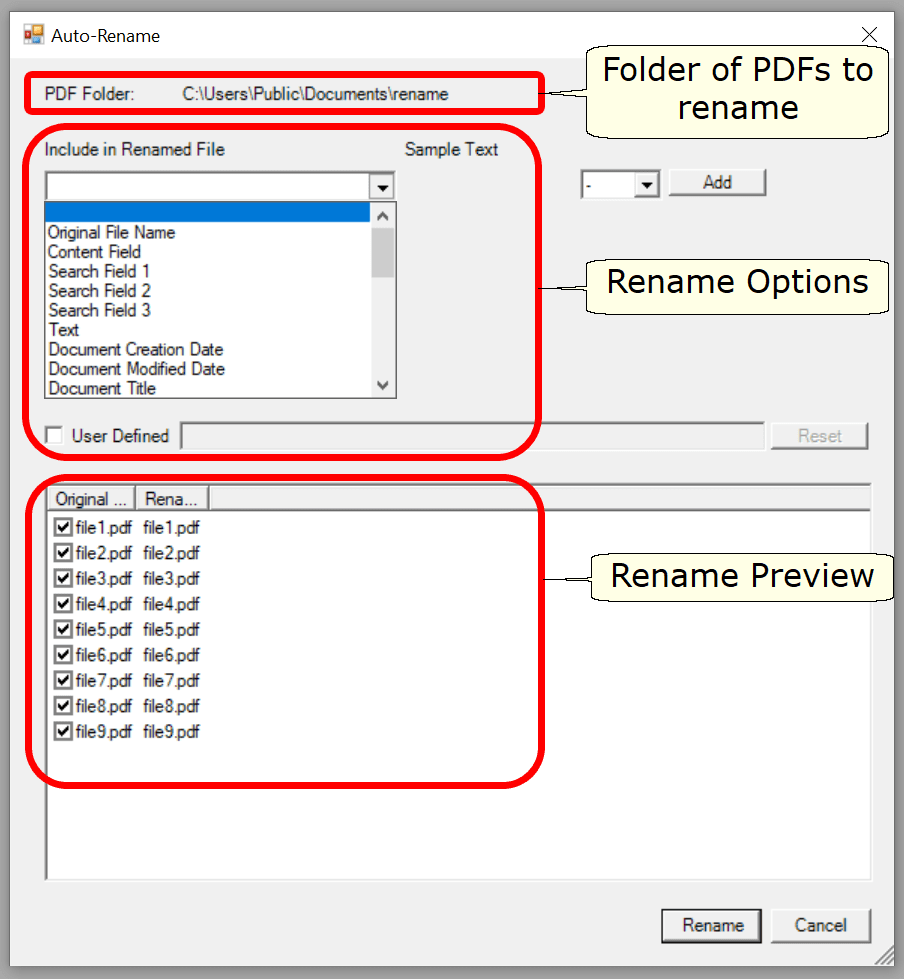
You can configure the renamed file to include PDF content by position, PDF content by search, and PDF metadata, date/time stamps, and text.
Win2PDF Pro allows you to batch convert all files in an input folders to another format in an output folder. You can also batch merge to a single PDF.
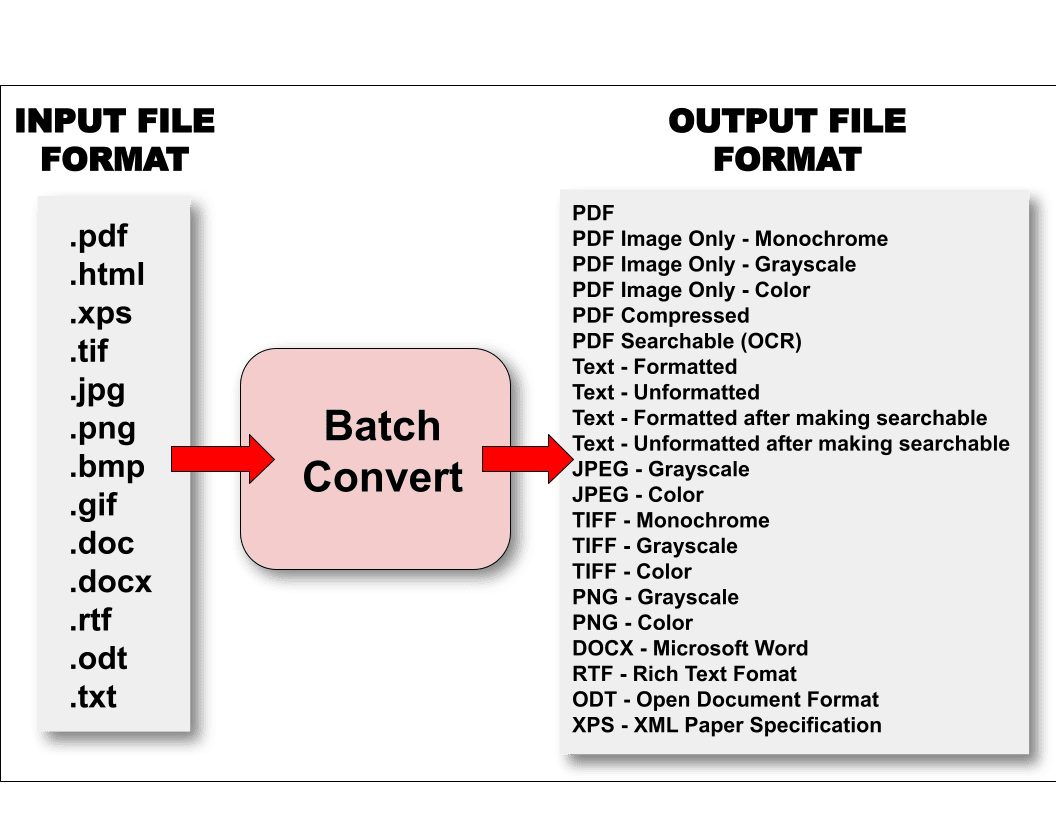
You can convert from one of these input formats:
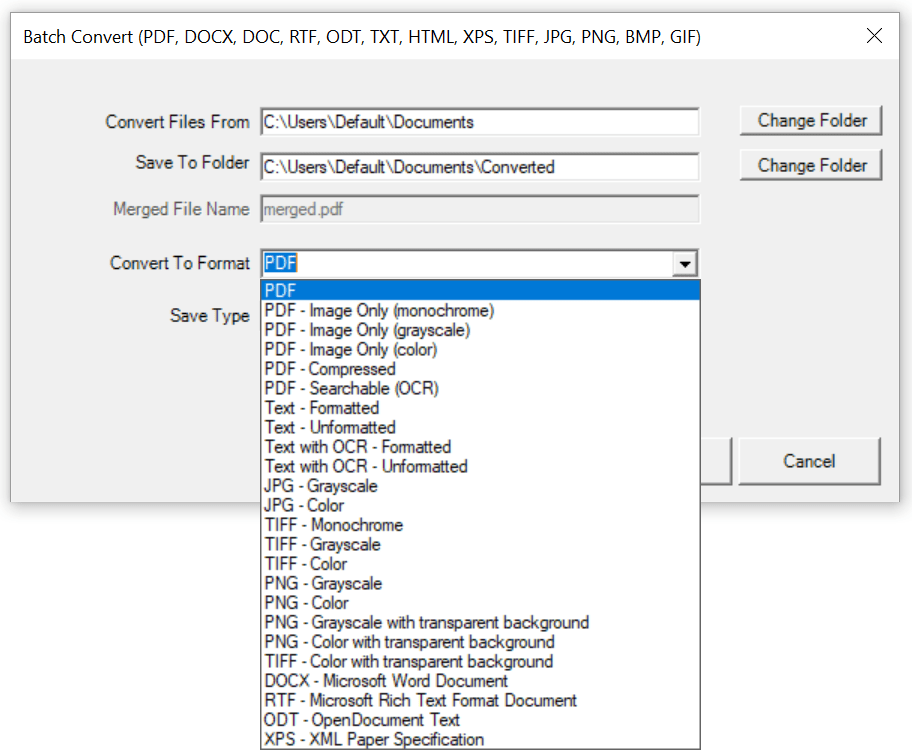
Win2PDF Pro also supports a command line batch convert command.
Win2PDF Pro can export a PDF to other document formats including DOCX, RTF, and ODT.
Win2PDF also supports command line options to convert Word to PDF, convert Excel to PDF, convert PowerPoint to PDF, RTF to PDF, MSG to PDF, and many other combinations.
The PDF attachments feature allows you to include documents, images, audio, video, and more within a single PDF. Win2PDF Pro can add attachments, save attachments, and remove attachments from an existing PDF.

Win2PDF also supports command line options to add a file attachment, save all attachments, and delete all attachments.
 Download Win2PDF
Start with the free Win2PDF trial edition. Download, double click on the setup, and install. You'll have a new printer named Win2PDF for creating PDF files.
There is no time limit to the trial version, but an extra page will be added to every PDF document.
 Purchase a license
If you like it, buy a license online. You'll get a license emailed to you right away.
No need to re-download. Enter your license key and start creating quality PDF files.